Rumata for agencies

Build the client’s next idea.Stay for what comes after.

Deliver websites, portals, automations, and custom applications. Bring the code, data, workflows, and services into one workspace you can keep improving after launch.

One place to build, explain, and maintain the solution.
YOUR RUMATA ACCOUNTSpace for your client work.
Agency projectApplications organized in factories
B
Bloom StudioClient website
Factory
N
NorthstarCustomer portal
Factory
A
Atlas GroupBusiness workflows
Factory
Configure access to projects and resources.
Build → deliver → maintain
Illustrative project structure · capacity and access depend on your plan and configuration

Sell a complete solution

Connect the customer experience to the work behind it.

Make collaboration deliberate

Organize applications and grant the access each team needs.

Keep delivering after launch

Use the same tools for the next feature and the next investigation.

A website becomes a working service

The client asked for a portal. Deliver the whole process.

Imagine a design studio that wants customers to submit a brief, upload reference files, and follow the work. The value is in connecting those moments—not just designing the screens.

“Build a client portal where customers submit a brief, share files, and see their project’s progress. Give the studio a review queue.”

Follow the example, one step at a time

  1. 01Give the client a clear front door
  2. 02Connect the work behind it
  3. 03Set up who can do what
  4. 04Keep delivering after launch
Step 01 · Custom frontend + customer journey

Give the client a clear front door

Build the branded website and customer portal. Define the customer’s main task and the information the studio needs to deliver it.

The interface supports the client’s actual service.
Illustrative example
A brief the team can use
Customer submits
Project brief and reference files
Customer sees
Their project’s current status
Studio receives
One organized request
A possible flow to build with Rumata · example data
Step 02 · Database + storage + workflows

Connect the work behind it

Save the brief and files, route the request for review, and connect the studio’s existing tools. Add AI summaries if they help the team work.

You deliver a process the client can use every day.
Illustrative example
From brief to review
Save
The brief and its attachments
Route
To the right team
Review
Scope before starting the work
A possible flow to build with Rumata · example data
Step 03 · Factories + groups + resource permissions

Set up who can do what

Organize the application in a factory, Rumata’s workbench for an app. Grant team access to the required resources and test customer access inside the portal separately.

Access follows the work each person is supposed to do.
Illustrative example
Clear responsibilities
Agency builders
Maintain the application
Client team
Use the agreed workspace access
Portal customers
See only their own work
A possible flow to build with Rumata · example data
Step 04 · Deployment + monitoring + continued development

Keep delivering after launch

Publish a tested version. Review activity, inspect failed runs or service builds, and use what you learn to plan the next improvement.

Ongoing maintenance has a shared place to happen.
Illustrative example
A continuing service
Observe
What is running and what needs attention
Improve
The next useful feature
Release
A reviewed and tested update
A possible flow to build with Rumata · example data
A few possibilities

The next service your agency can offer.

Example ideas to shape around your own needs.

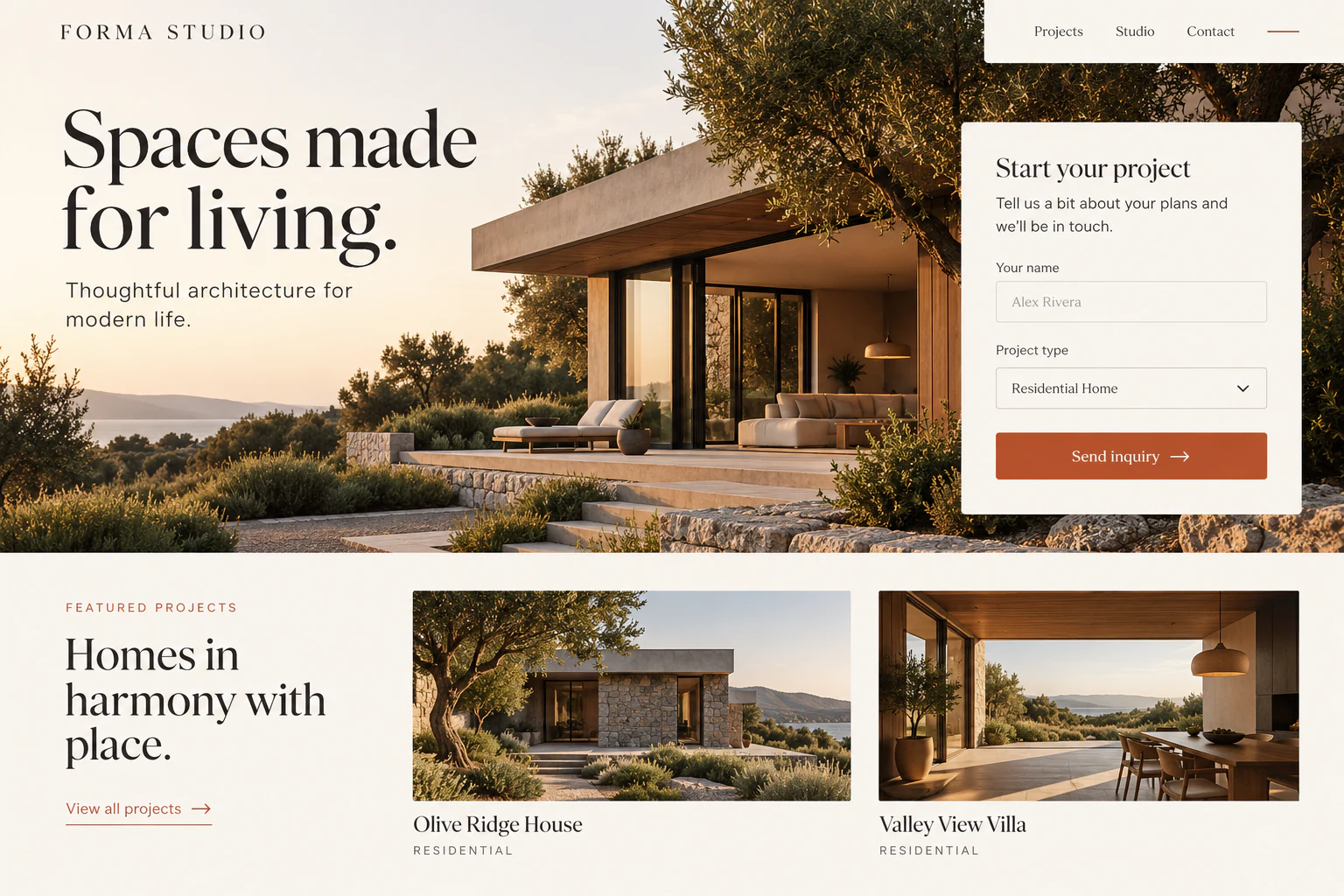
Forma StudioExample website
Website concept: Architecture studio website with featured projects and an inquiry form

Websites with a working backend

Connect inquiry forms to records, review queues, and the client’s follow-up process.

Start with this idea
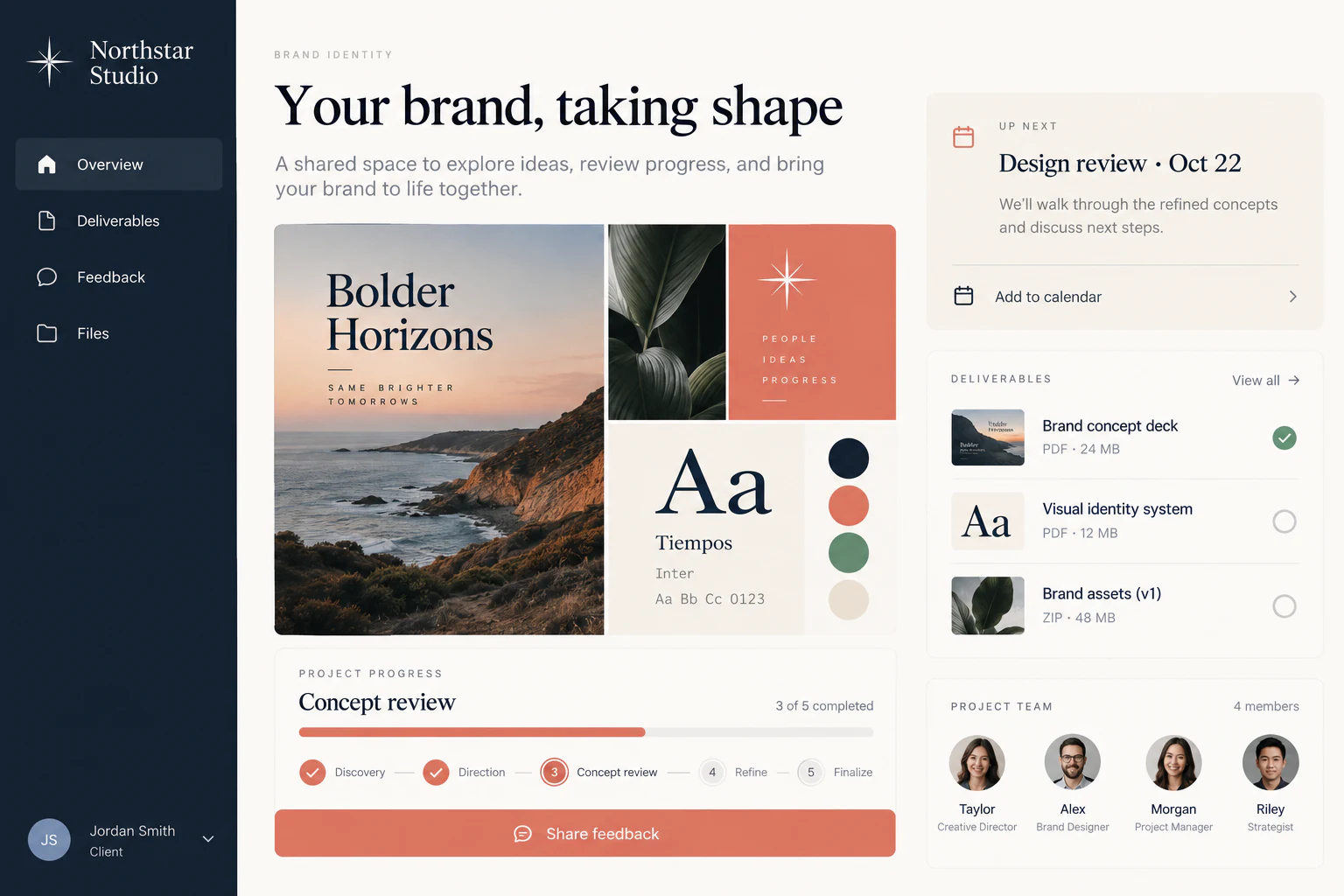
Northstar StudioExample website
Website concept: Design studio client portal with a brand moodboard and deliverable feedback

Customer & partner portals

Give the client’s audience a branded place for files, requests, and progress updates.

Start with this idea
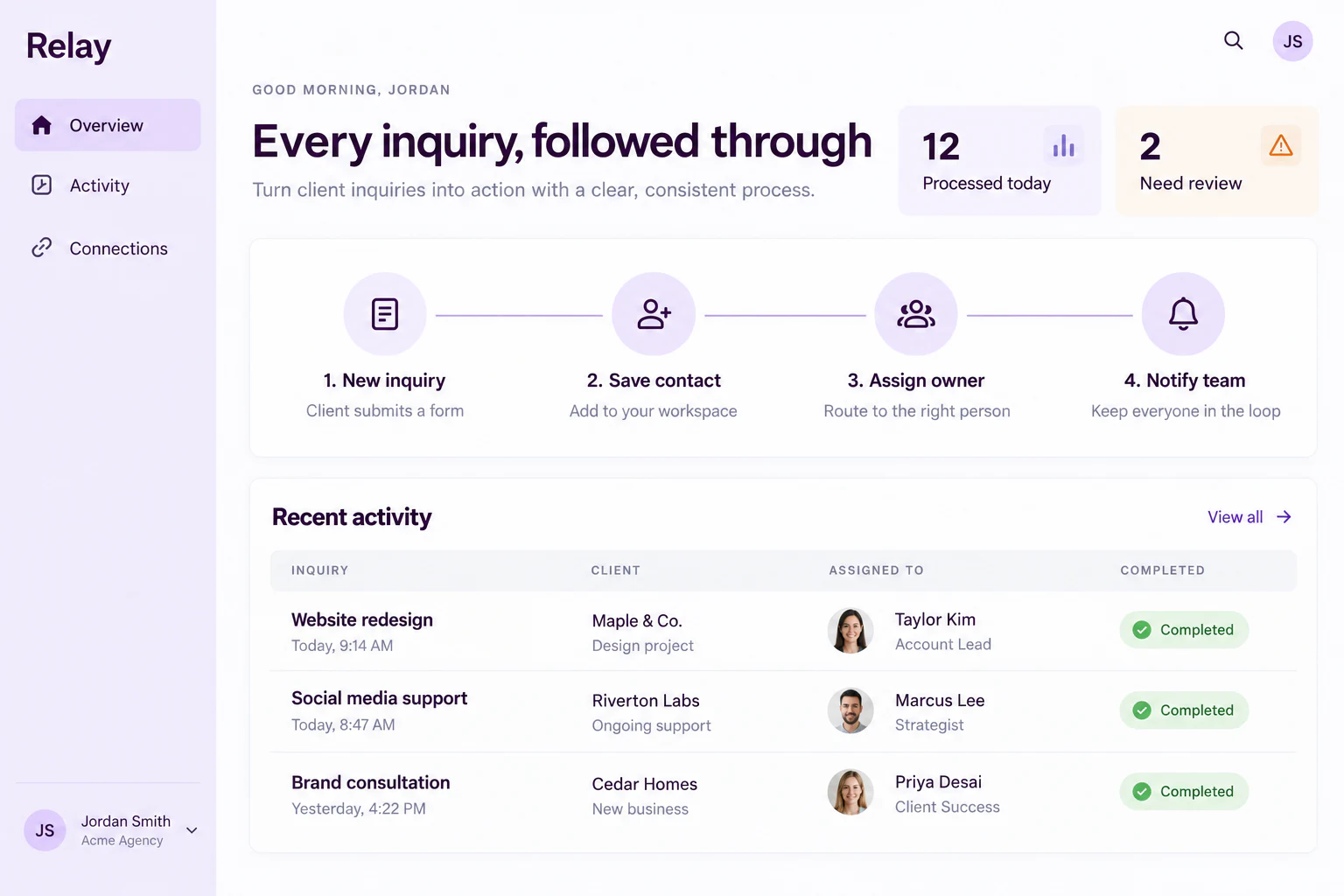
RelayExample website
Website concept: Client operations dashboard showing inquiry routing and activity

Operations & automations

Connect repetitive work across the client’s tools with inspectable workflow steps.

Start with this idea
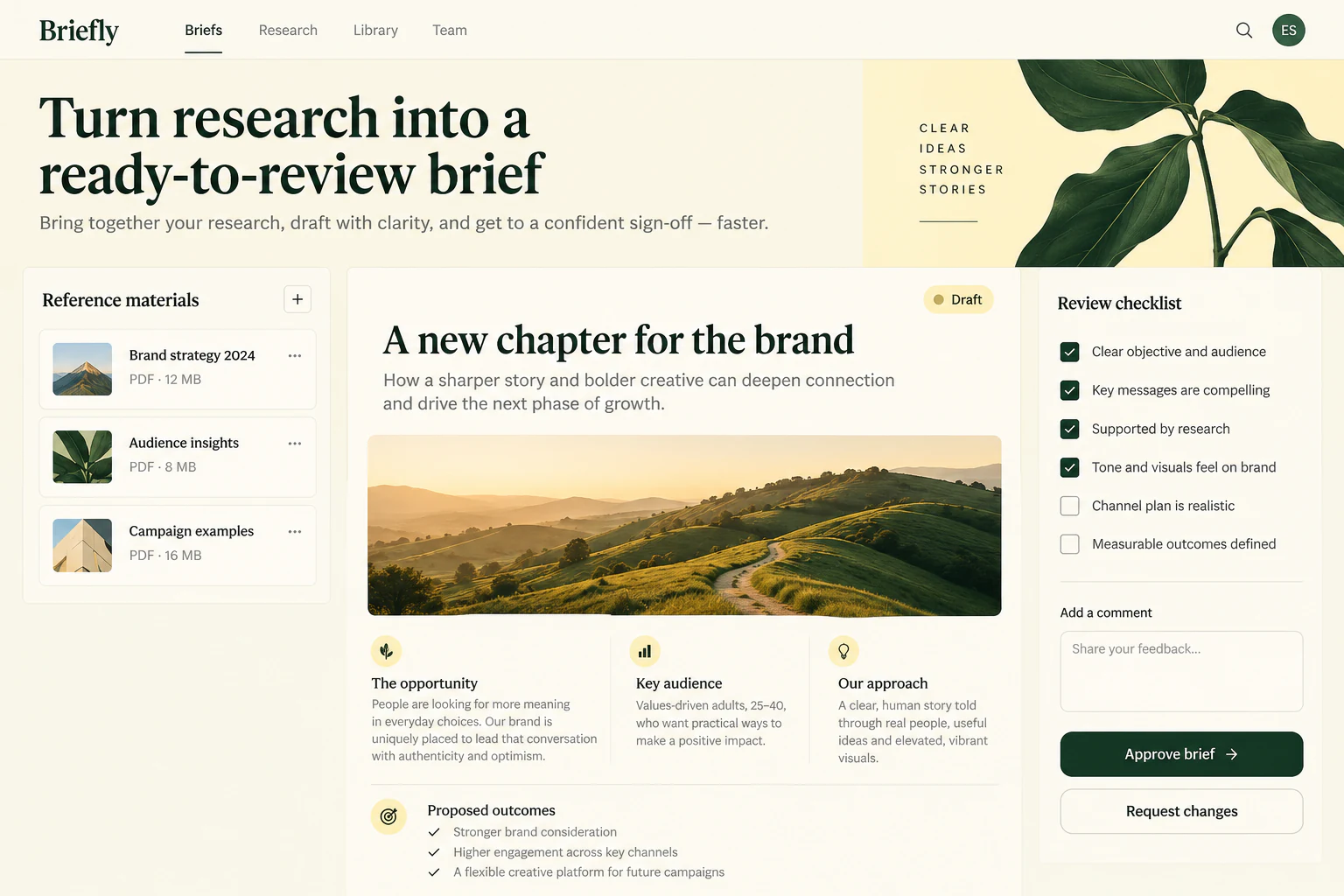
BrieflyExample website
Website concept: Editorial workspace with reference documents and a draft brief for approval

AI-assisted services

Add a focused assistant to summarize, classify, or draft, with the client’s team reviewing the result.

Start with this idea
Your first useful version

Make the engagement clear from day one.

  1. 01

    Define the customer outcome

    Agree on the main user journey, integrations, access boundaries, and what the first delivery includes.

  2. 02

    Build and review together

    Create the application, test the process with sample data, and review the result with the client before publishing.

  3. 03

    Agree on ongoing care

    Document who maintains the code, manages access, and reviews usage. Plan the next changes around what the client learns.

Clear capacity. Connected services.

Plan the client work around real capacity.

Standard plans include one project and a defined factory allowance, with resources shared across the billing account. Factories organize applications; they are not separate billing accounts or a guarantee of isolated infrastructure. Discuss additional project boundaries and capacity for larger engagements.

Explore plans
A little more clarity

Before you get started.

Can I manage more than one client application?

Yes, a project can contain multiple factories within its allowance. Give applications a clear structure and review the access they need. Separate client requirements may call for additional project boundaries or a custom plan.

Can clients join the workspace?

You can invite registered Rumata users to appropriate groups and grant access to the resources they need. The recipient must accept the invitation. Workspace access and the published app’s customer access are separate.

Does each factory have its own billing and infrastructure?

No. Factories are workbenches for applications within a project. Standard plans include one project, and allowances are shared across the billing account. Review isolation and capacity needs before choosing the structure.

Can we keep custom code and existing integrations?

Yes. Work directly with source code, configure custom services, and use connectors or HTTP steps. Existing services still need their credentials, supported interfaces, and a tested integration.

Can we restore a client’s data?

Database recovery depends on the available verified recovery window and plan. Exports are also available. Project storage deletion recovery and service persistent disks have different rules; automatic backups of service disks are not included.

Is Rumata always cheaper than using separate tools?

No single platform is cheaper for every workload. Compare infrastructure, AI, external-service costs, and the time your team spends operating the solution. Rumata’s value is bringing the working parts together.

Rumata for agencies

Deliver the project. Keep building the relationship.

Start with the next useful thing your client needs.

0 / 25,000 characters