Rumata for developers

One cloud. Every layer.Your way.

Build and operate your frontend, custom backend, PostgreSQL data, files, and workflows in one connected environment. Use your own code, bring a Docker image, and choose where AI helps.

Source you can edit. Services you can configure. Runs you can inspect.
Your code Your agent Your Docker image
Rumata CloudBUILD · CONNECT · OPERATE
Custom backendyour-registry/your-service:versionYour runtime. Your dependencies. Your logic.
FrontendPostgreSQLWorkflowsPermissionsFile storageDeployments
Connected application architecture · conceptual illustration

Your application logic

Custom APIs, containers, and background workers.

Connected execution

HTTP, schedules, code, integrations, and AI workflow steps.

An operating environment

Inspect data, deployments, resource use, and execution history.

Follow one request through the system

Your cloud shouldn’t decide what you can build.

Consider a document-processing product. It needs an upload interface, durable files, your own processing code, and a result users can retrieve. Build those parts together.

“Build a document review app with a custom Docker processing service, PostgreSQL records, file storage, and an inspectable workflow.”

Follow the example, one step at a time

  1. 01Accept the user’s request
  2. 02Persist the work
  3. 03Run your processing logic
  4. 04Observe and iterate
Step 01 · Frontend + application access rules

Accept the user’s request

Your frontend collects the file and calls the intended endpoint. Implement application authentication and record-level authorization for the people using your product.

The user-facing journey has an explicit boundary.
Illustrative example
A clear request contract
Input
File + processing options
Caller
Authenticated application user
Authorization
Only their permitted documents
A possible flow to build with Rumata · example data
Step 02 · Hosted PostgreSQL + project storage

Persist the work

Save structured job records in PostgreSQL and uploaded content in project storage. Track the job state so the frontend can retrieve its progress.

Application state belongs in durable resources, not a temporary development filesystem.
Illustrative example
Separate records from files
Database
Job, owner, state, result reference
File storage
Source document and output
App response
Job reference and status
A possible flow to build with Rumata · example data
Step 03 · Custom service + workflow orchestration

Run your processing logic

Deploy your backend from source or a Docker image. Connect it to a workflow for validation, branching, API calls, or an AI step. Design retry and duplicate-handling rules for your operation.

Keep specialized logic in code and the surrounding process visible.
Illustrative example
The runtime you need
Service
Your image, dependencies, and logic
Workflow
Validate → process → save result
AI, if useful
Classify or summarize the result
A possible flow to build with Rumata · example data
Step 04 · Run history + service controls + deployment

Observe and iterate

Inspect workflow runs, service activity, and resource usage. Test changes in private development, review the deployment, and verify the user journey after release.

Follow an issue to the relevant part of the application.
Illustrative example
Know where to investigate
Workflow
Step inputs, outputs, and failures
Service
CPU, memory, and operation history
Data
Queries, exports, and recovery controls
A possible flow to build with Rumata · example data
A few possibilities

Build the system your product needs.

Example ideas to shape around your own needs.

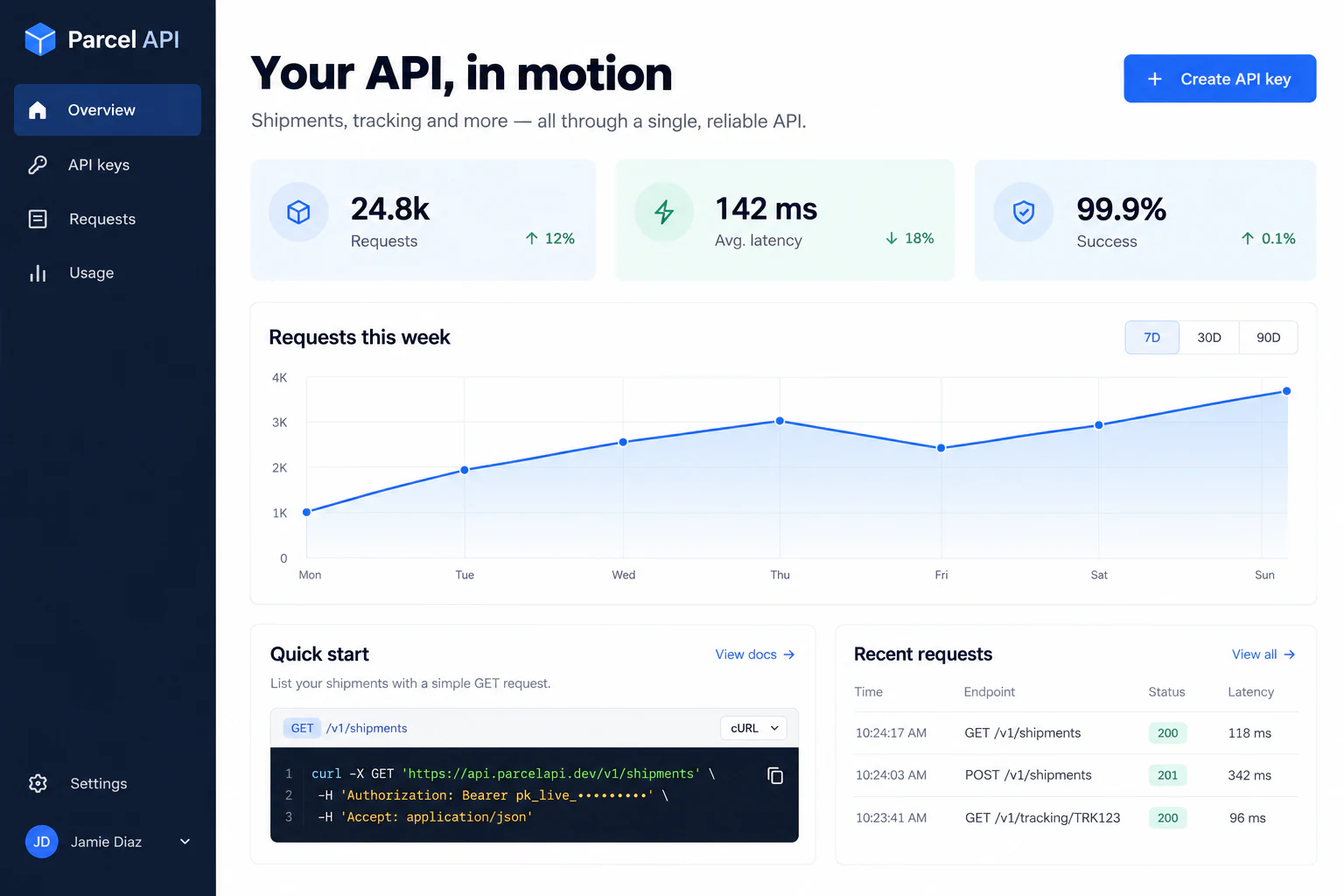
Parcel APIExample website
Website concept: API product dashboard with request activity, endpoint examples and usage

A custom API product

Run your own service with PostgreSQL records, endpoint access rules, and a frontend your users can work with.

Start with this idea
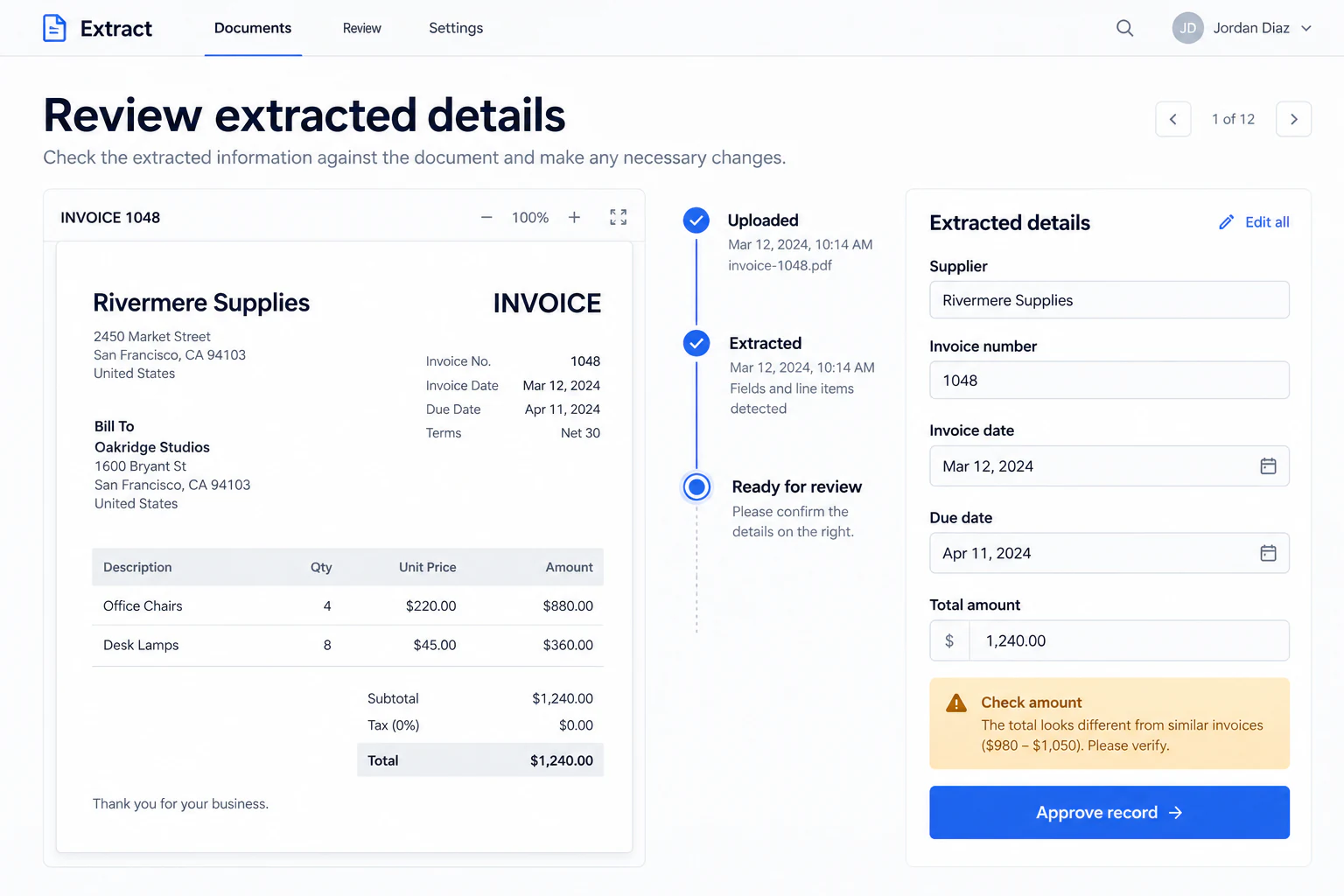
ExtractExample website
Website concept: Invoice processing application with extracted details and review controls

Document & AI processing

Combine uploads, custom processing, a focused AI step, and saved results with a review interface.

Start with this idea
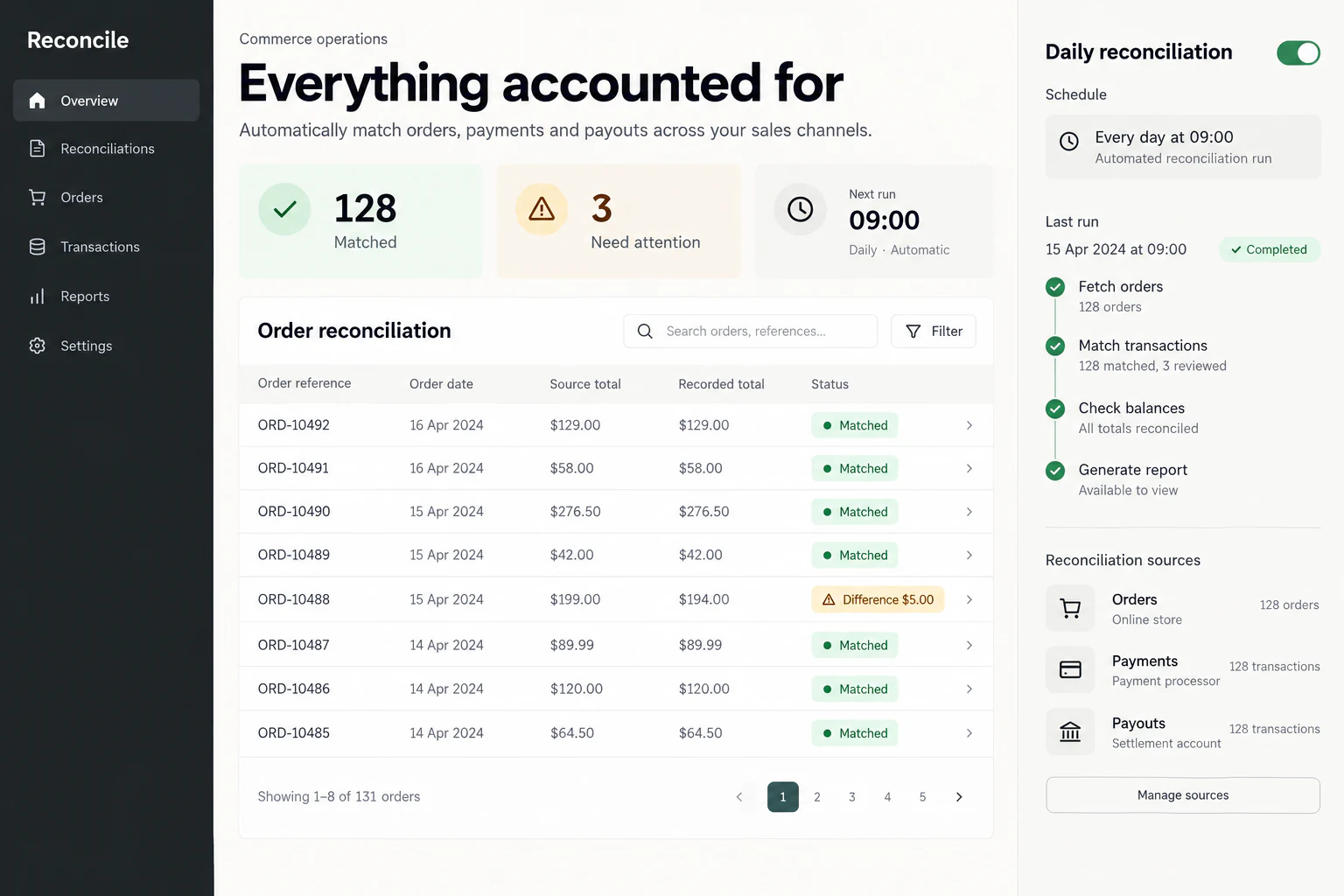
ReconcileExample website
Website concept: Reconciliation dashboard with matched records and flagged discrepancies

Scheduled operational systems

Run a defined process on a schedule or external event, with visible execution history and bounded failure handling.

Start with this idea
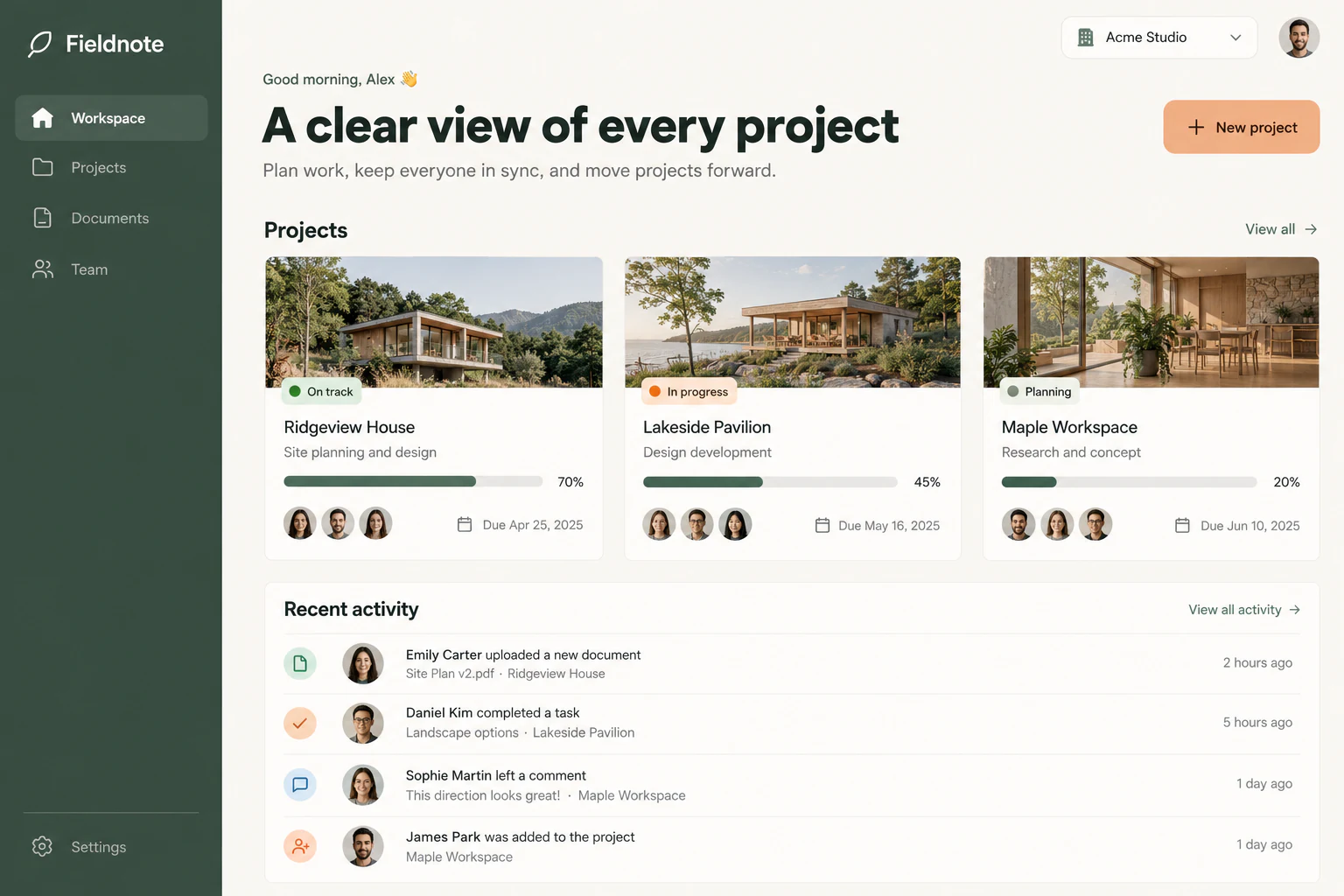
FieldnoteExample website
Website concept: Project management application with team projects, shared files and activity

A full-stack SaaS application

Connect customer-facing screens to data, files, application access, and the services behind the product.

Start with this idea
Your first useful version

Start with the architecture. Prove one path.

  1. 01

    Define the resource boundaries

    Choose what runs in a service, what belongs in a workflow, and where records and files persist. Set the required access model.

  2. 02

    Build a complete vertical slice

    Test one user action through the frontend, backend, data, and resulting side effects. Include invalid input and denied access.

  3. 03

    Release the version you tested

    Review the selected components and capacity. Verify the live flow, then use operation history and usage views to guide the next iteration.

Clear capacity. Connected services.

Make capacity part of the architecture.

Compare infrastructure allowances, concurrent resources, and AI funding. Standard plans have defined limits rather than automatic overage charges. Choose runtime policies and capacity for the workload; an always-on setting does not override exhausted allowances.

Explore plans
A little more clarity

Before you get started.

Can I run my own Docker image?

Yes. Backend services support prebuilt images as well as supported source-based builds. Configure the service’s source, port where needed, environment, access, and resource settings, then test the deployment.

Can I run background workers or keep a service running?

Services support background work and runtime policies including automatic shutdown, sleep when idle, and always on. Resource availability and account allowances still apply.

What persists when compute stops?

Database records and project storage have their own lifecycles. An attached service disk persists independently of compute; container-local files are temporary. Automatic backups of service persistent disks are not included.

Does public HTTPS provide application authentication?

No. Direct HTTPS makes the endpoint reachable; your application authenticates callers and enforces authorization. Platform permissions remain responsible for service configuration and management.

Do I have to use AI?

No. You can edit source and configure custom services directly. Use the built-in assistant, a compatible authenticated MCP agent, or AI workflow nodes only where they help.

How do recovery and history work?

Database recovery uses the available verified recovery window. Workflow definition history and execution history have separate retention. Review the applicable controls and plan rather than assuming one retention policy covers the entire system.

Rumata for developers

One cloud. Every layer. Your way.

Bring your code, your runtime, and the next thing you want to build.

0 / 25,000 characters