Rumata for business owners

You know your business.Build software that knows it, too.

Turn the way you work into an app your customers and team can use. Describe your idea, shape it with AI, and bring bookings, customer records, files, and everyday tasks together in Rumata.

Start with a conversation. Build one useful thing first.
It starts with your words

“I want customers to book a cleaning, and my team to see their day.”

YOUR BUSINESS, CONNECTEDA little more room in your day.

Today’s appointments

Monday
Home cleaningMaya · Riverside✓
Office refreshAlex · Central✓
Regular visitMaya · Park Avenue✓
One shared schedule. A team in sync.
From a business idea to a useful tool
Illustrative booking application · example data

Your words are the starting point

Explain the task. Review the plan. Try what gets built.

The whole job, connected

From the customer’s first request to your team’s next action.

Room for what comes next

Add a portal, an integration, or a smarter process as you grow.

One request. The whole story.

A booking should start the work for you.

Imagine a cleaning business. Today, a customer sends a message, someone copies it into a spreadsheet, and the team gets another message. Build one connected process instead.

“Let customers request a cleaning, give my team a shared schedule, and keep the job details in one place.”

Follow the example, one step at a time

  1. 01A customer makes a request
  2. 02The details stay together
  3. 03The next step happens
  4. 04You see how it is going
Step 01 · Your customer-facing app

A customer makes a request

A simple form collects the service, address, and preferred date. You decide which questions matter to your business.

The customer has one clear place to start.
Illustrative example
A request, ready to review
Service
Home cleaning
Preferred day
Tuesday
Status
Awaiting confirmation
A possible flow to build with Rumata · example data
Step 02 · Database + file storage

The details stay together

Save the request in your database. Keep uploaded photos or documents in file storage, linked to the right job.

Your team can find the information again without searching a chat.
Illustrative example
One record for the job
Customer
Sample customer
Job details
Service, address, preferred time
Attachments
Linked to this request
A possible flow to build with Rumata · example data
Step 03 · Workflows + integrations

The next step happens

Build a workflow to check the request, assign a status, and notify your team through a connected service. Keep your own approval step before confirming the booking.

Repetitive coordination becomes a process you can see and improve.
Illustrative example
A process you define
When
A request arrives
Then
Save it and notify the team
Before confirmation
A person approves the slot
A possible flow to build with Rumata · example data
Step 04 · Your dashboard + Rumata Overview

You see how it is going

Give the team a dashboard of upcoming jobs. In Rumata, check whether the app and its automations are running as expected.

The app supports the work after the form is submitted.
Illustrative example
A clearer working day
Customers
Track their requests
Team
See assigned work
You
Review activity and follow up
A possible flow to build with Rumata · example data
A few possibilities

Start with the task that slows you down.

Example ideas to shape around your own needs.

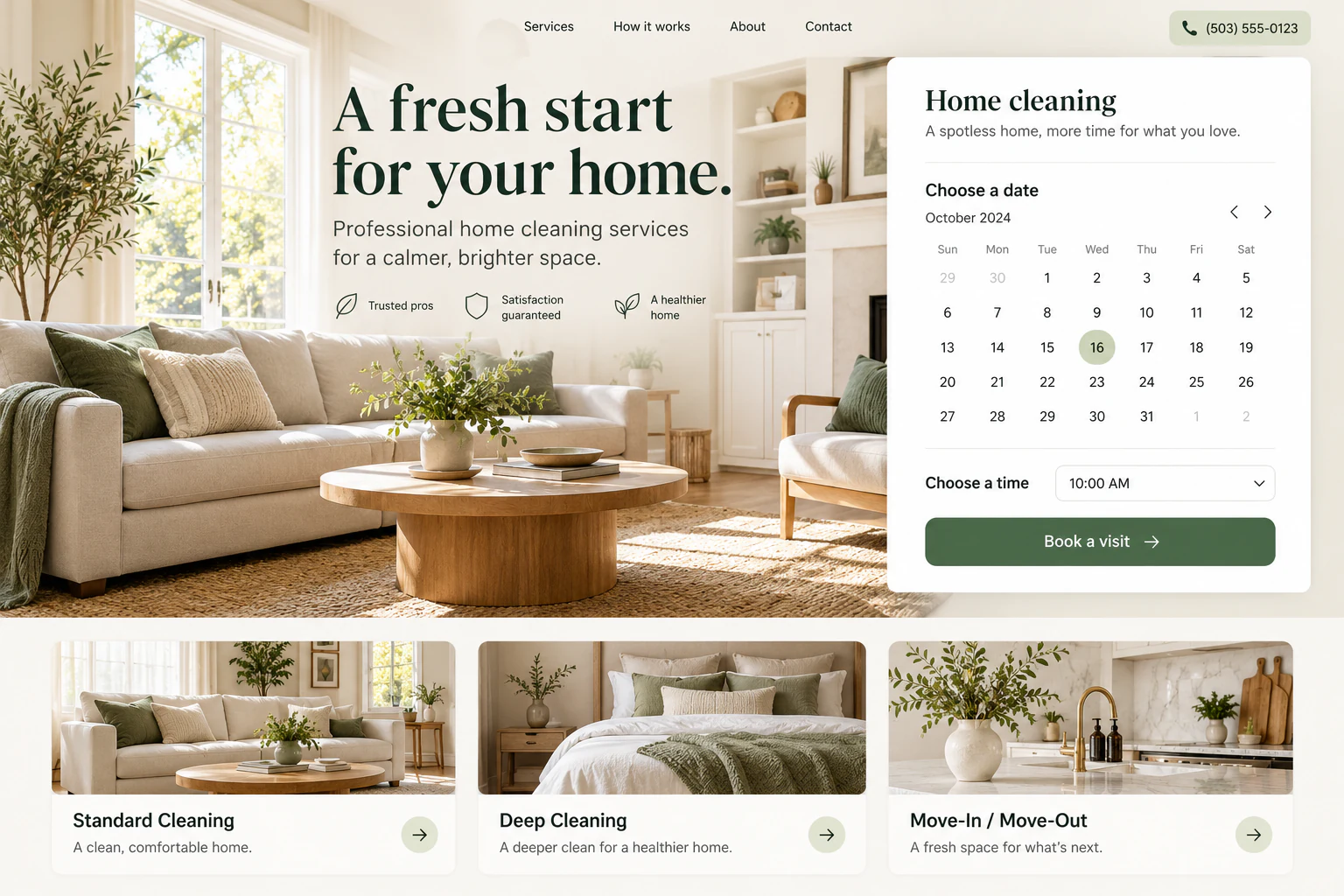
Willow HomeExample website
Website concept: Cleaning service website with a booking calendar and service choices

Bookings & service requests

Collect the right details, review availability, and give your team a shared view of the next job.

Start with this idea
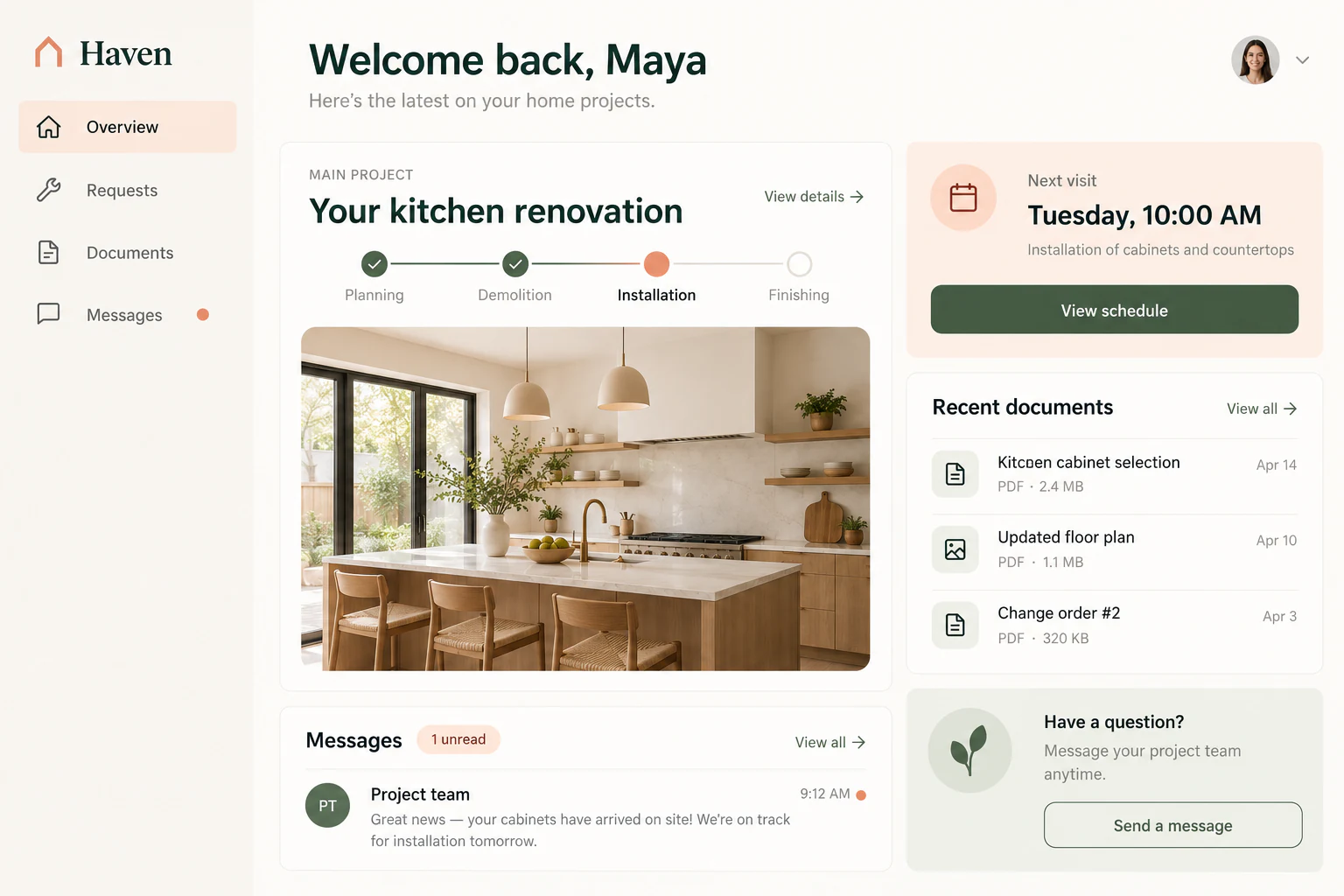
HavenExample website
Website concept: Homeowner portal with renovation progress, appointments, documents and messages

Customer portals

Give customers a place to check progress, share documents, and send requests without another email chain.

Start with this idea
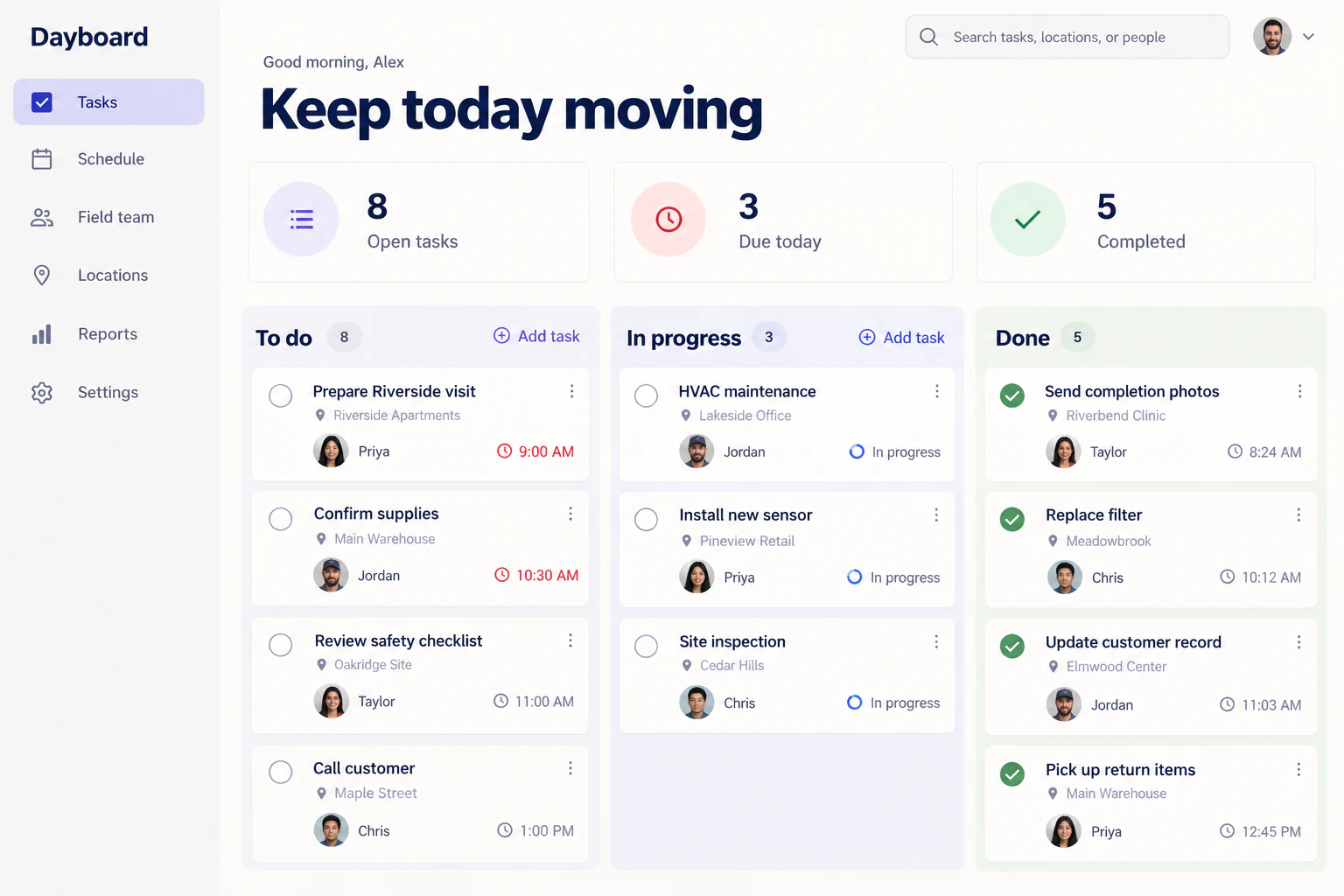
DayboardExample website
Website concept: Team task board with assigned jobs and progress columns

Internal operations

Replace an improvised spreadsheet process with clear statuses, assigned work, and a record of what happened.

Start with this idea
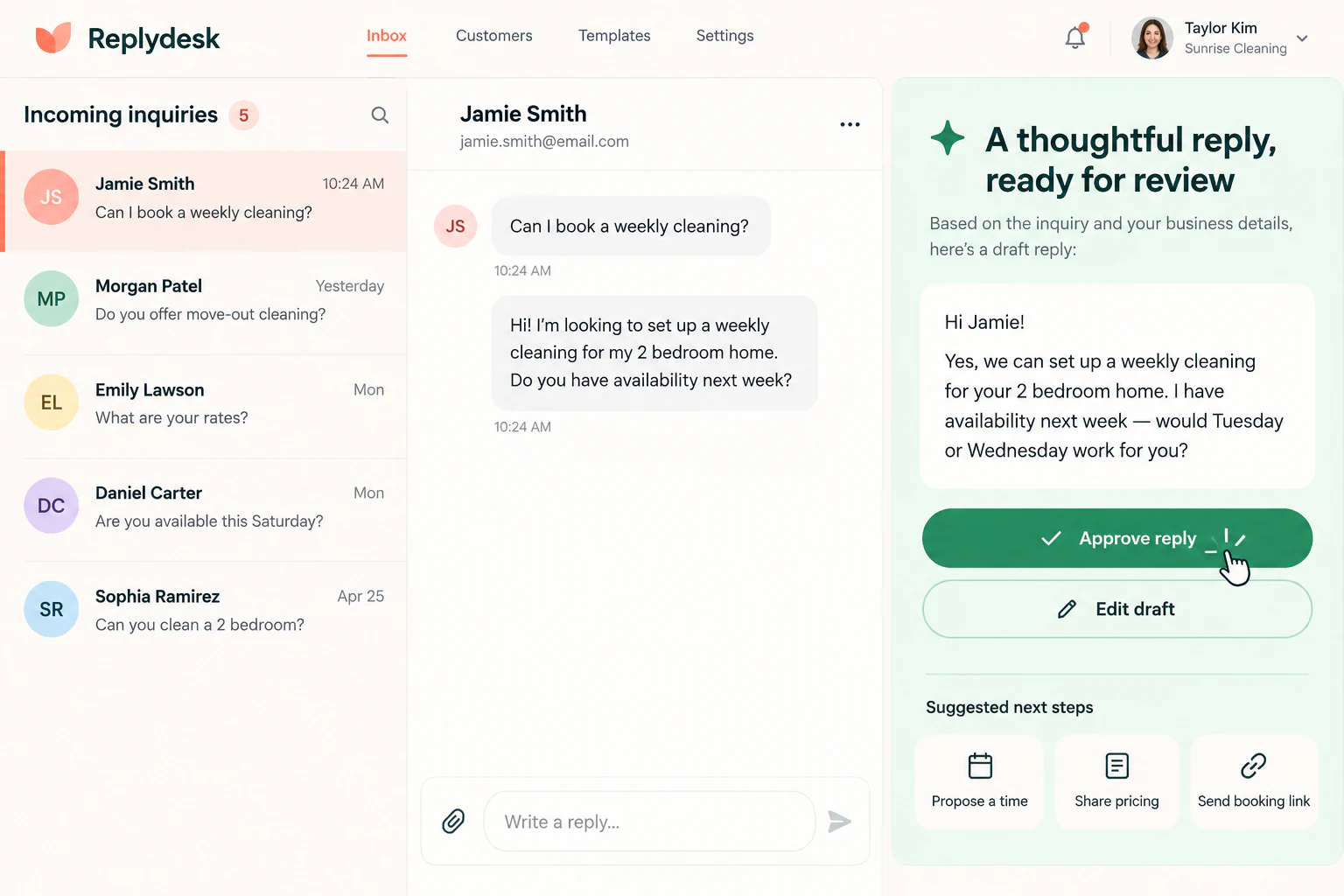
ReplydeskExample website
Website concept: Inquiry inbox with an AI-drafted response awaiting human approval

A focused AI assistant

Summarize incoming requests and prepare drafts, with a person deciding what gets sent or approved.

Start with this idea
Your first useful version

You bring the business knowledge.

  1. 01

    Describe one useful outcome

    Explain who will use the app, what they need to do, and what happens next. Rumata can help turn that into a plan.

  2. 02

    Try it as your customer would

    Review the screens and test a complete task with sample information. Ask for changes in the same conversation.

  3. 03

    Publish, learn, improve

    Review the deployment, open the live app, and test the same task. Keep improving it as you learn from the people using it.

Clear capacity. Connected services.

Start small. Understand what you are using.

Choose a plan with the infrastructure your app needs, with or without bundled AI. The Usage page shows your allowances. Standard plans do not automatically charge for additional resource usage; affected work may pause when a limit is reached.

Explore plans
A little more clarity

Before you get started.

Do I need to know how to code?

You can start in plain language and work with the AI assistant. Your part is to explain the business rules, review the result, and test it. A complex integration or sensitive process may still benefit from a developer’s help.

What should I build first?

Choose one complete task: request a booking, submit an order inquiry, or share a document. Make that journey work before adding the next feature.

Can my customers have their own accounts?

Yes. You can build sign-in and customer-specific views. Your app must enforce which records each user can access; test this with separate customer accounts before launch.

Will this replace every tool I use?

It can bring several parts together, but you can keep existing services and connect them. Payment processing, email, and other external services may still need separate accounts and fees.

Can I change the app after launch?

Yes. Continue working in your workspace, test the change, and publish the next version. Publishing the frontend is separate from editing its preview.

What happens to the information my app stores?

Application records belong in the database and uploads belong in project storage. Database Studio includes exports and recovery controls; available recovery points depend on your plan and the backup service.

Rumata for business owners

A better working day starts with one useful tool.

Tell Rumata what you keep doing by hand. Start there.

0 / 25,000 characters